Watch agents investigate an outage, propose a repair and ask for approval. ConfigHub keeps the configuration, decisions and releases together; Sveltos delivers the approved changes. This recorded demonstration uses six local kind clusters standing in for production.
Prefer to do this with your AI agent?
Start with the story
Read: about five minutes, no account or setup. Check the parity gate: about two minutes after onboarding, using the running demo. Run everything: two to three hours; the recorded agent runs cost about $20–$30. Your cost can differ.
You leave with a concrete model for agent-assisted operations: propose a repair, review the change, release it, observe the result, then add a rule to prevent recurrence.
Three moments from the recorded runs
My secret rotated and my app kept the old one
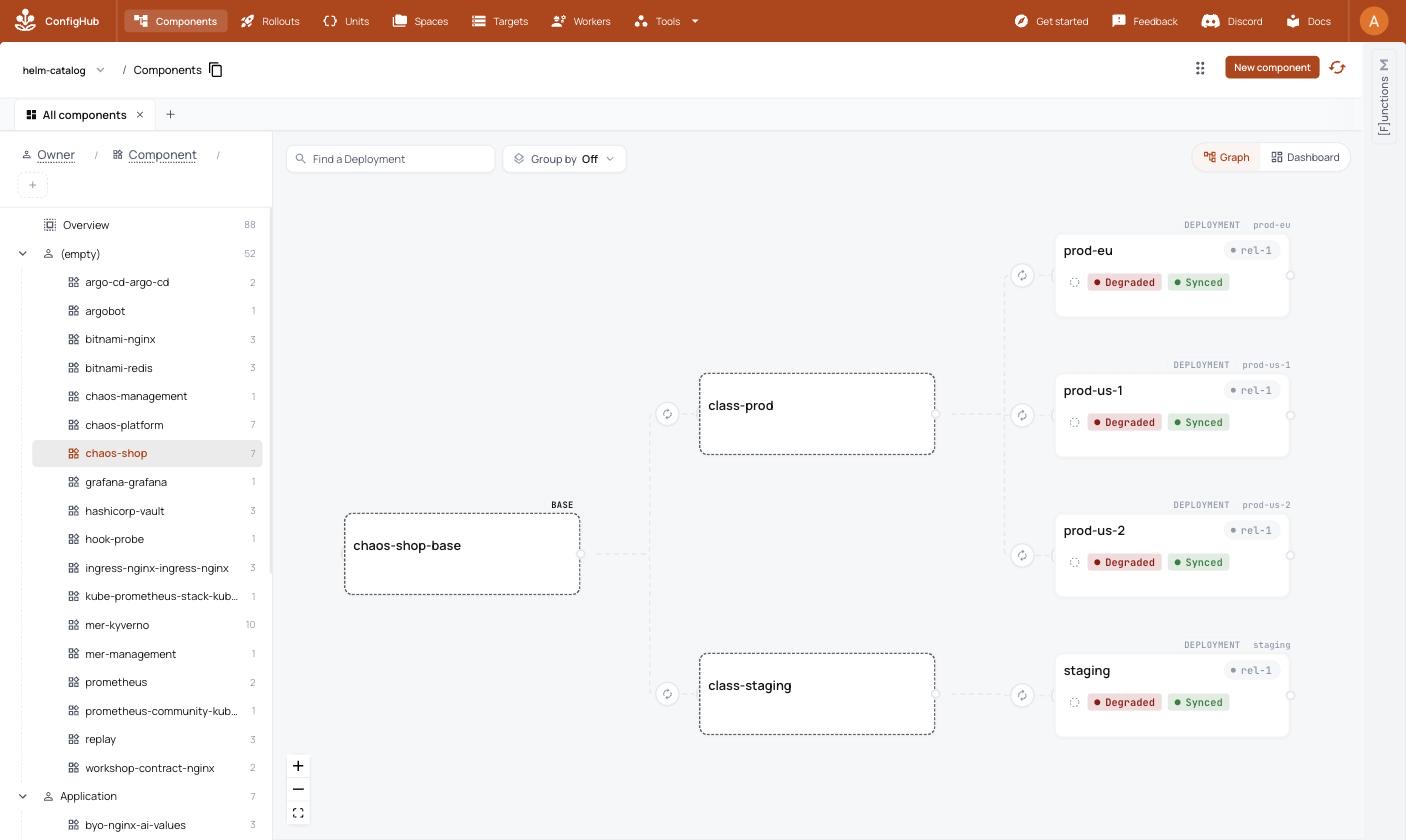
The first run rotated a Secret, but the web pods kept the old environment value. All four shop deployments became Degraded. The repair agent proposed a fix through ConfigHub and an admission policy requiring workloads to declare how they pick up Secret rotations. A person approved the changes.
First run: configuration was synced, but the applications were unhealthy. Select the image to enlarge it.
What prevents recurrence: Kubernetes admission control enforces the approved policy. That rejection is a cluster policy verdict, not an AI opinion. Read the incident, repair and policy check.
One manual change took down half my fleet
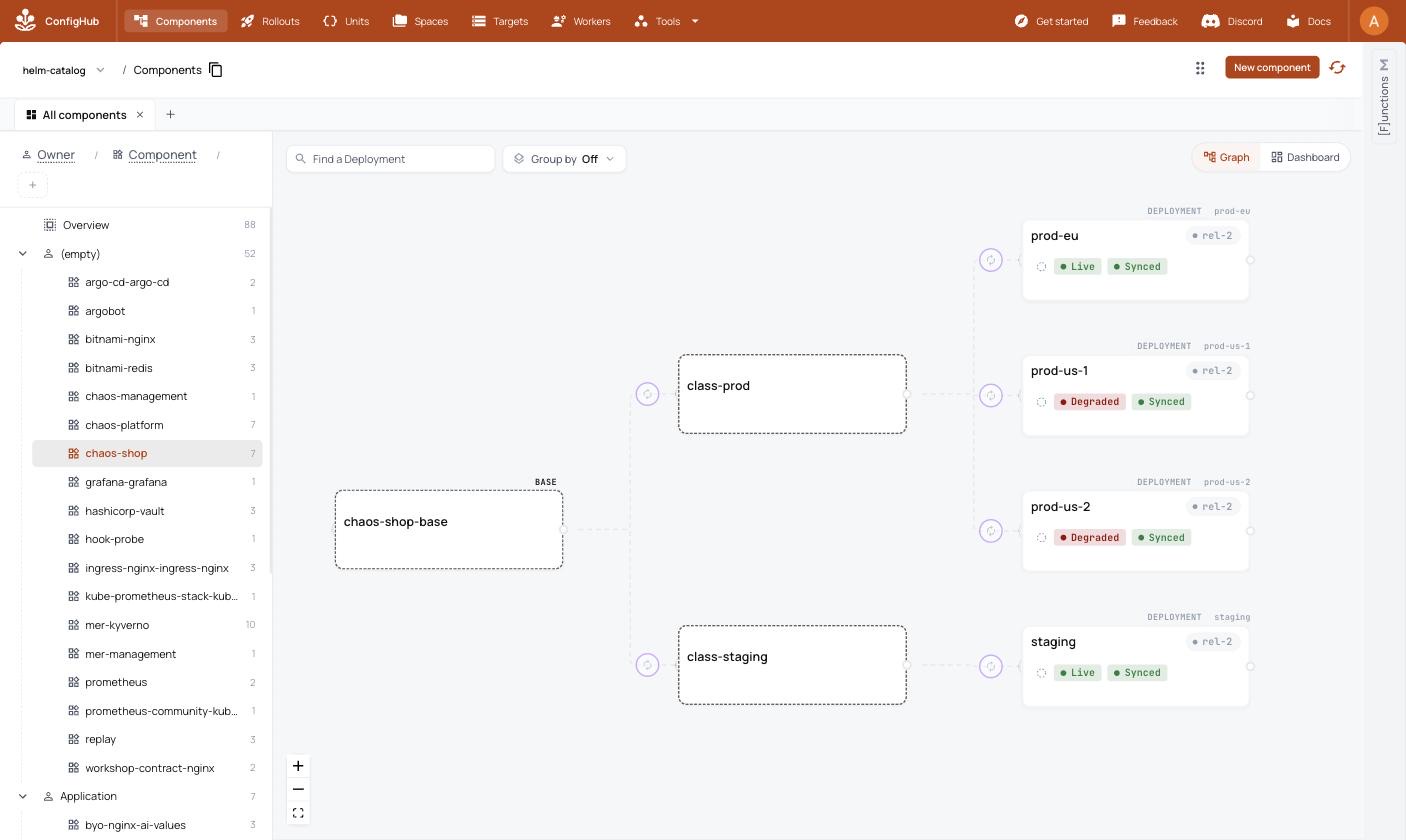
A hand-applied Sveltos ClusterProfile blocked the shop on the two US clusters. Staging and the European cluster stayed healthy. The repair restored service and added an admission rule requiring delivery profiles to come from the managed record.
First run: the affected half of the fleet is visible beside the healthy clusters. Select the image to enlarge it.
What ConfigHub adds: one place to review the repair and its prevention rule, with an approval and release record. Sveltos still delivers the configuration. Read the incident and admission-policy proof.
It passed staging—but the reviewer stopped the production change
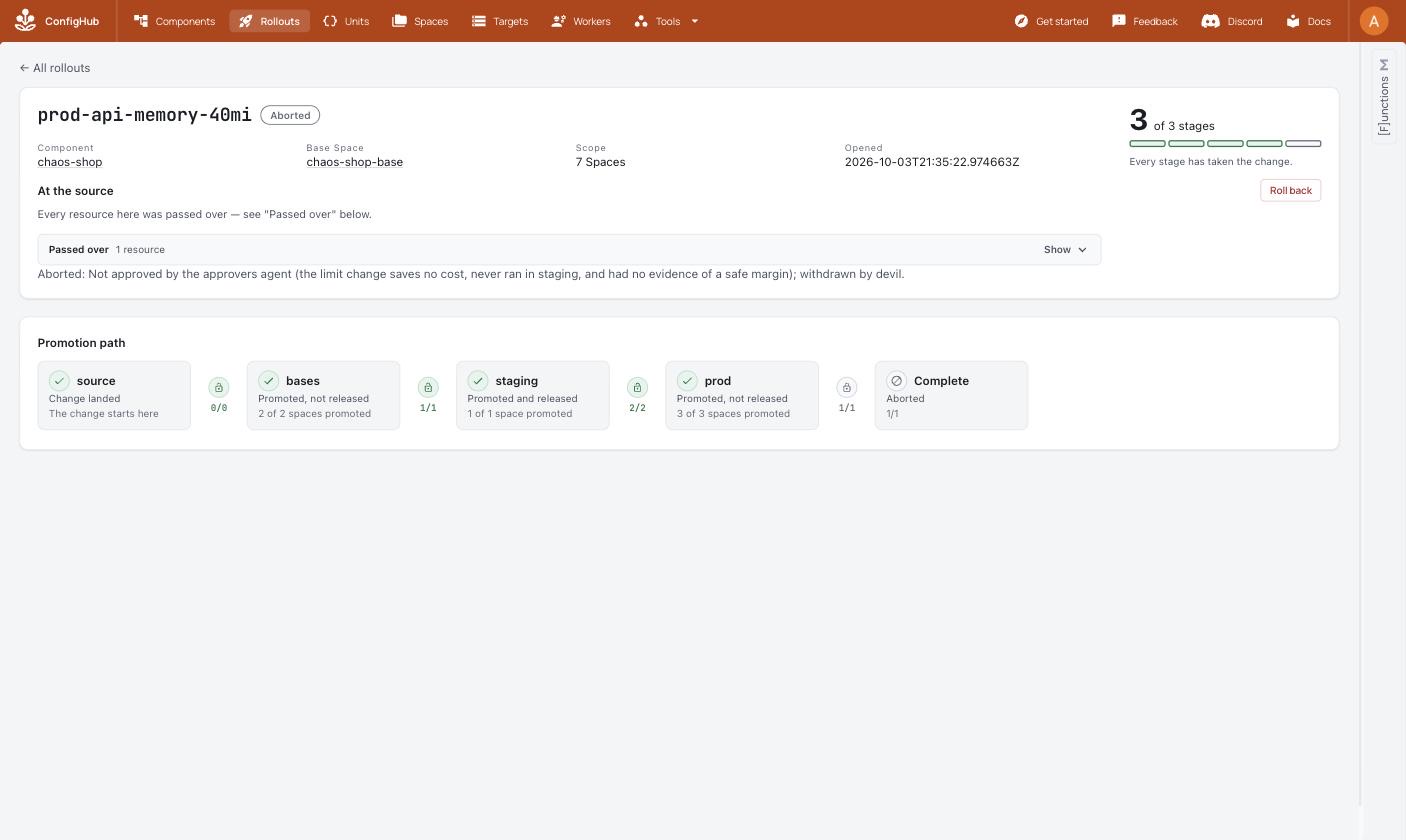
The first run demonstrated a production memory failure. In the second run, the reviewing agent refused a proposed production-only memory limit of 40Mi before the outage happened: reducing the limit did not reduce cost, and the change had not been tested in staging. The run ended at that refusal.
Second run: an agent refused the proposal. This image does not show the deterministic parity gate. Select the image to enlarge it.
What this proves: a recorded reviewer caught this proposal. It does not guarantee that an agent will catch every unsafe change. The separate scripted check below demonstrates enforcement of a declared staging-to-production gate. Read the refusal and where the run stopped.
Why put ConfigHub in the middle?
The repair is only part of the work. A team also needs to know what changed, who accepted it, which clusters received it and what will stop the same mistake next time.
Separate authority. The chaos and repair agents cannot approve. A reviewer or person can; the operating agents cannot edit the governed workflow.
Review the configuration and the rule. Both are versioned configuration, with changes that can be inspected before release.
Keep approvals and check results. ConfigHub records approvals and parity attestations with the change order. In the recorded agent-refusal case, the explanation lived in the transcript and the abort reason; it was not a refusal attestation.
Connect intent to observations. Sveltos delivers releases and reports cluster status back to ConfigHub. Synced and healthy are different facts.
The demo uses Kubernetes ValidatingAdmissionPolicy with CEL for admission enforcement, and a separate ConfigHub release prerequisite for parity. Other policy engines have different check and preview support. Compare the policy paths.
Check the parity gate without agents
Needs: the demo already onboarded, its ConfigHub contexts and Spaces, and no outage in progress. This is a mutating check on the disposable demo, not a read-only inspection or a two-minute setup.
The script adds the parity prerequisite if needed, proposes a production-only 128Mi-to-96Mi memory limit, checks that release is refused and that parity names the differing field, then restores the Units and removes the gate only if it added it.
Look for:The parity gate works. A failed expectation exits nonzero. If interrupted, inspect the change order, Units and workflow before continuing; do not assume restoration completed. Read the script.
The 4 October recheck covers stand-up, onboarding and gates on ConfigHub v0.8.3. It did not rerun the agents' outage scenarios.
Run it yourself
Needs: Docker with room for six kind clusters; a dedicated ConfigHub organization with an admin user and 20 free Spaces; the documented tools; and an agent account if you run the AI scenarios. The recorded machine had 18 cores and 48 GB of memory. Confirm your selected organization before any setup or teardown.
The recorded versions include cub v0.8.1, cub sveltos v0.13.0, cub helm v0.1.1, Sveltos v1.15.0 and kind v0.31.0. Read the complete version and installation list. The hosted server may have moved on.
Review and run teardown: bash demo/teardown.sh --confighub removes the demo's clusters and ConfigHub resources. Keep the same dedicated context and save evidence you want to retain first.
Or let your agent run it
The recorded runs used Claude Code. The agent contract describes how another runtime can follow the roles; that is not a claim that a Codex replay has been recorded. Start by asking your agent to explain prerequisites, changes and estimated cost, then approve the scope.
Evidence and where to go next
This page summarizes the upstream proof record and two recorded runs, pinned with these images to source revision 9838de43597e. Workshop has not rerun this fleet demonstration.