1. See what you have today
You have the Argo CD chart 10.7.0 with the values of the Catalog's default base, which are the chart's defaults. Helm renders it like this, and the Workshop's check reads the result.
$ helm template argo-cd argo-cd --repo https://argoproj.github.io/argo-helm --version 10.7.0 --namespace argocd --kube-version 1.30.0 > before.yaml
$ cub config check before.yaml
Config: before
Inspecting local Kubernetes objects (static, no infrastructure)

Installs
  59 objects: 3 ClusterRole, 3 ClusterRoleBinding, 8 ConfigMap, 3 CustomResourceDefinition, 6 Deployment, 1 Job, 6 NetworkPolicy, 7 Role, 7 RoleBinding, 2 Secret, 5 Service, 7 ServiceAccount, 1 StatefulSet
  namespaces that must already exist: argocd

Lifecycle work
  [NOTE] CRDs: 3 (apply and establish before any custom resource)
  [NOTE] Helm hooks: 4
  [NOTE] setup Jobs: 1
  [PASS] admission webhooks needing a certificate: 0
  [PASS] images tagged latest or not tagged: 0

Schema
  [PASS] schema validation: 59 object(s) valid against the default and ecosystem catalogs (flux-schema/0.16.0)

  Free look before you install. Compose it into a cub stack, or run it as a cub app.
The 4 hook objects sit in the same file as everything else. Apply the file and they run at once, outside the order Helm gives them.
| Kind | Name | Helm hook |
|---|---|---|
| ServiceAccount | argo-cd-argocd-redis-secret-init | pre-install,pre-upgrade |
| Role | argo-cd-argocd-redis-secret-init | pre-install,pre-upgrade |
| RoleBinding | argo-cd-argocd-redis-secret-init | pre-install,pre-upgrade |
| Job | argo-cd-argocd-redis-secret-init | pre-install,pre-upgrade |
2. See what the Workshop gives you
The Catalog keeps the objects of its default base for this chart, and a plan for everything that is not an object to apply.
$ cub config check after.yaml
Config: after
Inspecting local Kubernetes objects (static, no infrastructure)

Installs
  55 objects: 3 ClusterRole, 3 ClusterRoleBinding, 8 ConfigMap, 3 CustomResourceDefinition, 6 Deployment, 6 NetworkPolicy, 6 Role, 6 RoleBinding, 2 Secret, 5 Service, 6 ServiceAccount, 1 StatefulSet
  namespaces that must already exist: argocd

Lifecycle work
  [NOTE] CRDs: 3 (apply and establish before any custom resource)
  [PASS] Helm hooks: 0
  [PASS] setup Jobs: 0
  [PASS] admission webhooks needing a certificate: 0
  [PASS] images tagged latest or not tagged: 0

Schema
  [PASS] schema validation: 55 object(s) valid against the default and ecosystem catalogs (flux-schema/0.16.0)

  Free look before you install. Compose it into a cub stack, or run it as a cub app.
The plan has 3 steps.
| Step | What it is | What it says |
|---|---|---|
argocd/argocd-redis | must exist on the target | Redis auth Secret normally generated by the chart secret-init hook; config-only delivery lanes stage it explicitly |
crd-ordering | a step of the apply | Without an ordering declaration, per-file Units apply in no guaranteed order, so a custom resource can reach the cluster before the definition that gives it meaning. Apply the 3 CustomResourceDefinition objects first. Wait until every named definition reports the Established condition. Then apply the other 52 objects. |
prune-protection | a step of the apply | Helm was asked to keep these objects when the release goes away. A reconciler that prunes anything absent from its desired state will delete them instead, and for a custom resource definition that takes every resource of that kind with it. This route protects 3 objects. The rule when one leaves the desired state is to leave in place and report, never delete. |
3. See what changed
| Before, helm template | After, the default base | |
|---|---|---|
| Objects | 59 | 55 |
| Helm hook objects in the file | 4 | 0 |
| CRDs | 3 | 3 |
| Objects that are the same on both sides | 55 | 55 |
| Plan steps | none | 3 |
4. Try it yourself, with no account
Install cub and the Workshop plugin first.
# before: render the chart as Helm does
$ helm template argo-cd argo-cd --repo https://argoproj.github.io/argo-helm --version 10.7.0 --namespace argocd --kube-version 1.30.0 > before.yaml

$ cub config check before.yaml

# after: fetch the objects the Catalog keeps for this base
$ curl -fsSL -o after.yaml https://raw.githubusercontent.com/confighub/helm-expt/main/recipes/argo-cd/argo-cd/10.7.0/revisions/default/r001/rendered/release-objects.yaml

$ cub config check after.yaml
The entry page shows the plan and every other base of this chart.
See it live in ConfigHub
Everything above runs on your own machine with no account. To see the same example in ConfigHub, load it into your own organization with the commands below.
With your own account
Here is what the command does. cub installer is an open-source plugin for the cub CLI. cub installer setup pulls a catalog package and writes its Kubernetes files locally, leaving delivery to kubectl, Argo CD or Flux. The generated scripts stop before doing any work when the plugin or kustomize is missing.
# render the base from the signed package
$ cub installer setup --pull oci://europe-west1-docker.pkg.dev/nth-fort-499605-q5/helm-expt/argo-cd-argo-cd:10.7.0@sha256:0e75c12f38108e3606fd8fa410232e89c02858ac466414f361a6599295cb6c24 --base default --work-dir ./argo-cd-argo-cd-10-7-0-default --non-interactive --namespace argocd

# sign in to your organization
$ cub auth login

# load the objects as a Space of Units, under names you choose
$ cub installer upload --work-dir ./argo-cd-argo-cd-10-7-0-default --space <your-space> --component <your-component>

# list what was loaded
$ cub unit list --space <your-space>
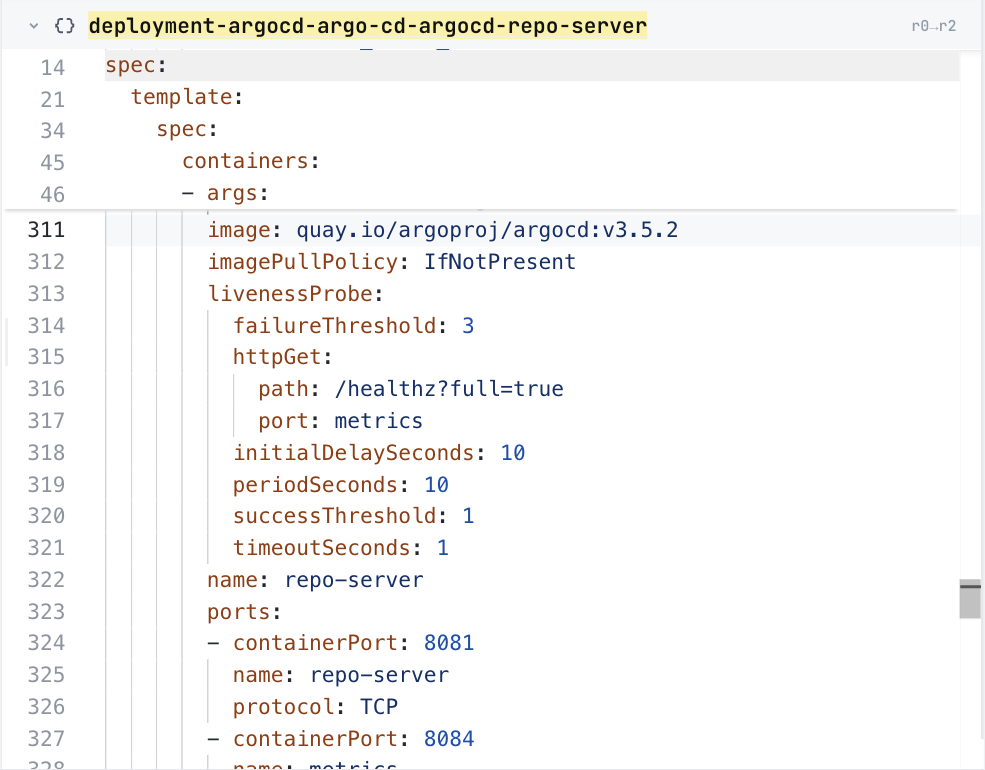
What it looks like in ConfigHub
5. Technical notes and disclaimers
- Both checks ran on 2026-10-26 with cub v0.9.0, Workshop plugin 0.6.61 and helm v4.1.4+g05fa379. The recorded files and their receipt hold every input and output on this page.
- Both sides render for Kubernetes 1.30.0, as the Catalog does, so only the handling differs.
- No step of the plan has been run on a cluster for this page. The plan says what a delivery workflow must do, and nothing runs it automatically.