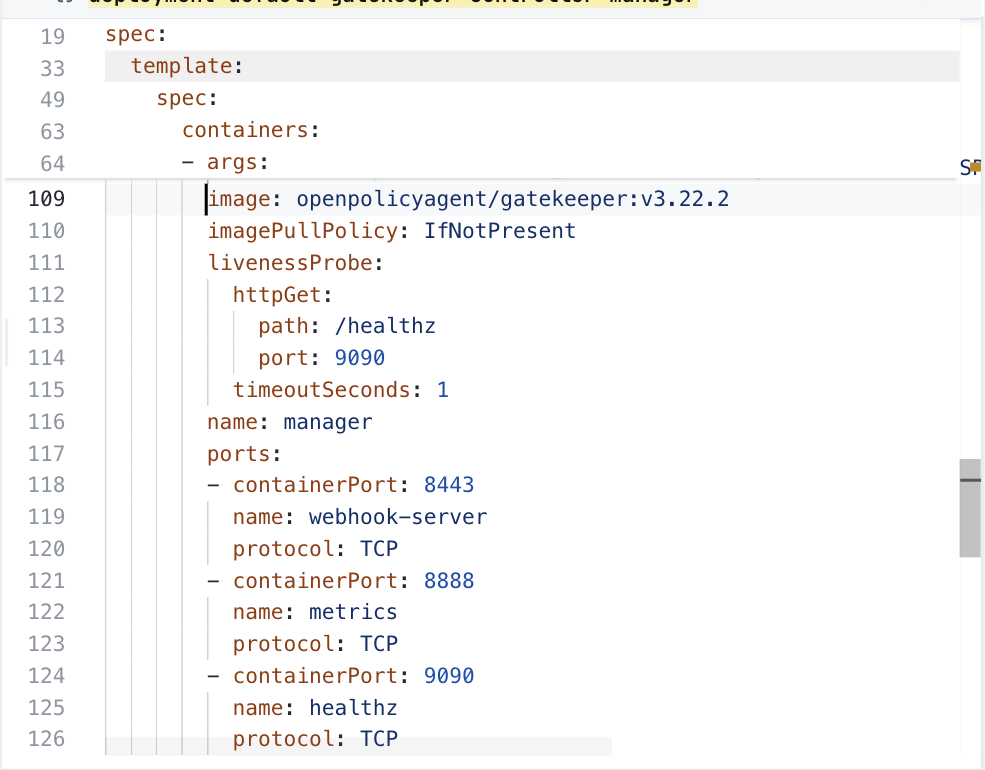
16 lines of templates/gatekeeper-controller-manager-deployment.yaml, around its image line. The chart has many files like this.
After: in ConfigHub
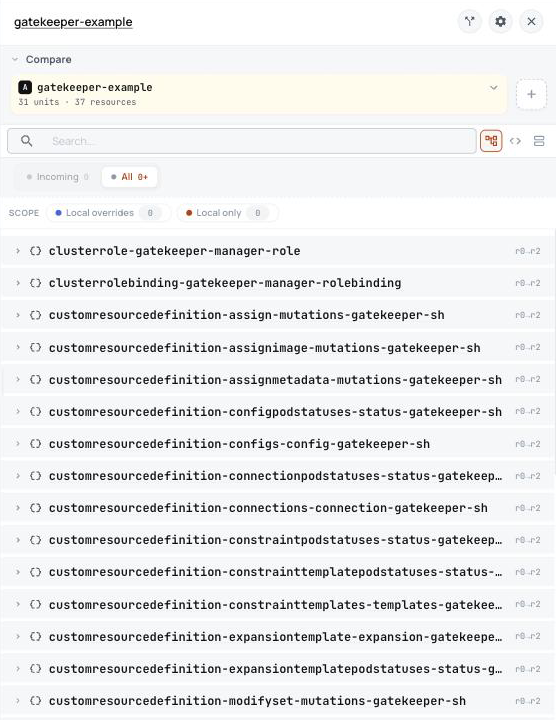
The same image line in ConfigHub, as a plain value. Taken in the helm-catalog organization on 2026-10-25, showing the Gatekeeper controller-manager Deployment, at its image line.
ConfigHub holds this as 31 Units, one for each of the 30 objects the installer writes and one installer record.
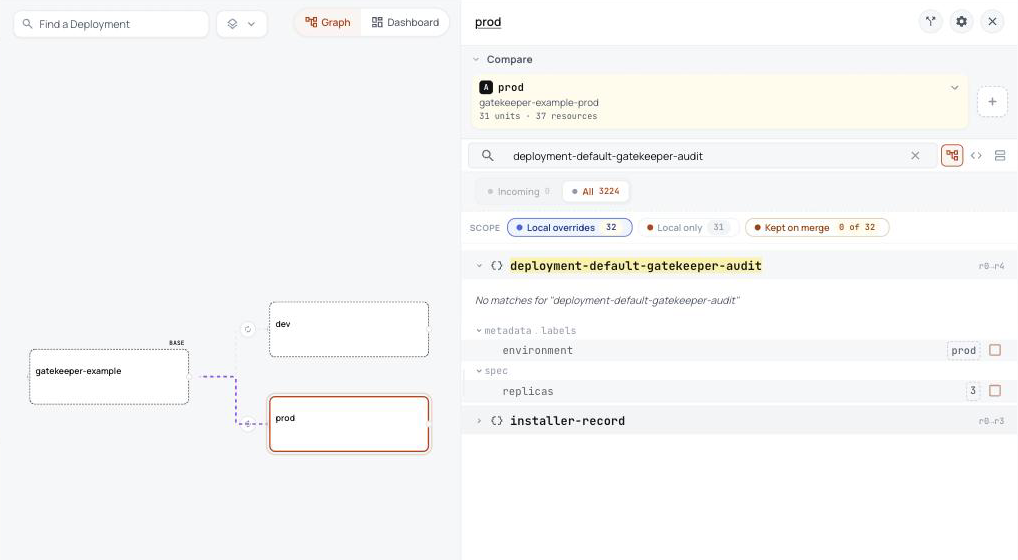
In ConfigHub: one base, and a variant for each environment
Prod's panel lists what prod changes from the base, here its label and three replicas of the audit Deployment. Taken in the helm-catalog organization on 2026-10-26, showing the Gatekeeper base with its dev and prod variants, and the label and three replicas prod sets on the audit Deployment.
The template's image line becomes one plain value you can read, and so does every other field.
The 8 setup objects Helm runs out of sight become steps you can read.
Every object is written out, so you can review it before anything runs.
What Helm does that you never see, and what happens here instead
What Helm does
What happens here instead
Adds 17 new kinds of Kubernetes object, such as ConstraintTemplate, Config, Assign. A plain helm template leaves them out.
They are in ConfigHub with everything else, and they go in first, so the objects that use them are not rejected.Show me
The 17 new kinds
Assign
AssignImage
AssignMetadata
Config
ConfigPodStatus
Connection
ConnectionPodStatus
ConstraintPodStatus
ConstraintTemplate
ConstraintTemplatePodStatus
ExpansionTemplate
ExpansionTemplatePodStatus
ModifySet
MutatorPodStatus
Provider
ProviderPodStatus
SyncSet
Runs a Job before installing or upgrading that applies its CRDs, and one after installing that labels its own namespace so Gatekeeper does not police itself.
Nothing runs out of sight. The CRDs are in ConfigHub and go in first, and a recorded install without the Jobs checked each step that followed.Show me
What Helm runs, and when
ServiceAccount gatekeeper-update-namespace-label: after installing
ServiceAccount gatekeeper-admin-upgrade-crds: before installing, before upgrading
ClusterRole gatekeeper-update-namespace-label: after installing
ClusterRole gatekeeper-admin-upgrade-crds: before installing, before upgrading
ClusterRoleBinding gatekeeper-update-namespace-label: after installing
ClusterRoleBinding gatekeeper-admin-upgrade-crds: before installing, before upgrading
Job gatekeeper-update-namespace-label: after installing
Job gatekeeper-update-crds-hook: before installing, before upgrading
Decides at install time when each of its hidden steps runs, in an order you cannot see.
The plan writes down 2 steps, in order, for whoever delivers.Show me
The plan's steps
CRD and admission-webhook prerequisites must be checked before apply.
The pinned rendered CRD route must be recorded as a target-aware operation before stronger upgrade claims.
ConfigHub keeps configuration as plain objects, with a history of every change. Loading puts this chart's objects in a Space, a folder in your ConfigHub organization.
Load it into your ConfigHub
Sign in with the first line, then paste the rest. It fetches the Gatekeeper package, writes its files, and saves them as a Space called gatekeeper-example in your organization. The rest makes a dev and a prod variant of it, and prod runs three replicas of the audit Deployment. It touches no cluster.
$ cub auth login

$ cub installer setup --pull oci://europe-west1-docker.pkg.dev/nth-fort-499605-q5/helm-expt/gatekeeper-gatekeeper:3.22.2@sha256:ce4877c260225419e22d820f9d15652ad48ed5f205117099e88abb3f590241a5 --base default --work-dir ./gatekeeper-example --non-interactive --namespace default && cub installer upload --work-dir ./gatekeeper-example --space gatekeeper-example && cub component create gatekeeper-example && cub space update --patch gatekeeper-example --component gatekeeper-example

$ cub variant create dev gatekeeper-example --change-desc "Clone the base as dev"

$ cub variant create prod gatekeeper-example --change-desc "Clone the base as prod"

$ cub function set --space gatekeeper-example-dev --change-desc "Label every object environment dev" set-label environment dev

$ cub function set --space gatekeeper-example-prod --change-desc "Label every object environment prod" set-label environment prod

$ cub function set --space gatekeeper-example-prod --unit deployment-default-gatekeeper-audit --change-desc "Run three replicas in prod" set-replicas 3
No account needed. This fetches the Gatekeeper package and writes every object into a folder you can open. To check your own chart and values instead, see Is my configuration right?